THE AI VIDEO EDITOR AGENT
The AI video editor for everyone
Two ways to create. Start from a long video, or from raw footage.
Used by 20M+ creators and businesses



.jpg)






Meet OpusClip AI Producer: the AI video editor agent
OpusClip AI Producer is an AI video editor agent that turns raw talking-head footage into publish-ready video. Real footage in, finished video out. No avatars, no generated speakers. It makes the edit and explains every decision; you direct the changes.
OpusClip AI Producer
The AI makes the edit
One pass applies captions, B-Roll, motion design, music, and SFX, with an edit log explaining what changed and why. Tell it what to adjust in plain language and it changes that, not the whole video.

OpusClip AI Producer
You keep the last word
A real editor for the last mile. Effect-level selection, undo, restore, and targeted regeneration. Chat for intent, timeline for precision.

Take full control when you want it
A complete AI video editor. Automatic when the priority is speed, fully hands-on when it's precision.
Speed
Edit 10X faster with text-based editing and shortcuts


Customization
Customize videos with your brand assets


AI
Use AI to enhance visual and audio in 1 click


The easiest AI video editor. No technical skills required
Easy for everyone
AI video editing with intuitive tools to trim, add text overlays, and edit clips with no experience needed.
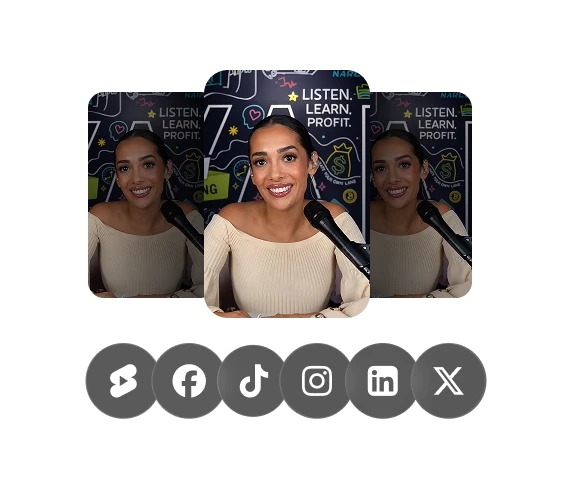
Share everywhere instantly
Get platform-ready videos in one click. Auto-resize clips for TikTok, YouTube Shorts, and Instagram Reels.
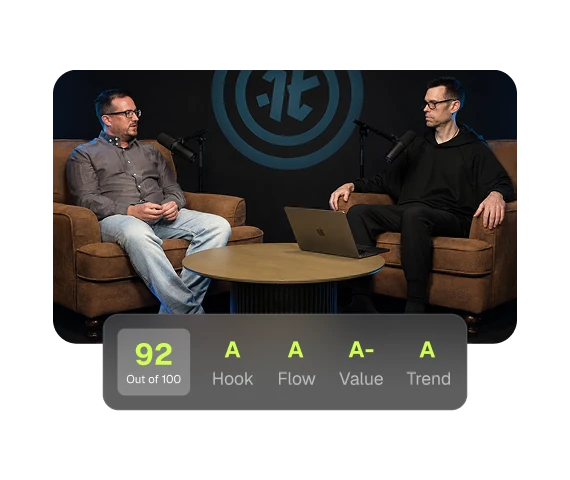
Connect with your audience
Our AI video editor finds your most engaging moments and turns them into short clips that grow your reach.
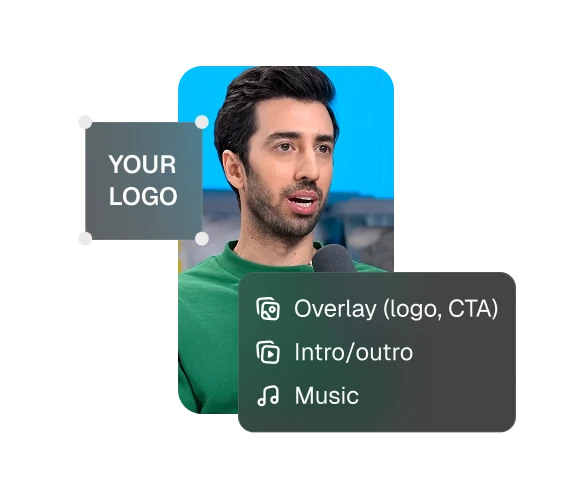
Look professional every time
OpusClip applies your brand colors, fonts, and logo to every video — studio quality, no studio budget.


Clip, edit, post, analyze.
All-in-one AI video editing software
Stop juggling multiple apps. Get everything you need with our comprehensive AI video editing software that handles your entire workflow.

AI clipping
Turn long videos into viral shorts in 1 click

AI captioning
Add animated captions to boost visual appeal and accessibility with our AI video editor.

Social media calendar
Publish, schedule & manage all your social posts in one central location.

AI B-Roll
Automatically add relevant B‑roll footage to boost watch time and engagement.

AI voiceover
Generate realistic speech with our AI video editing tools to increase viewer retention.

Analytics
Unlock growth insights by analyzing your video performance across platforms.

Audio cleaning
Remove filler words, pauses & enhance audio quality in 1 click.

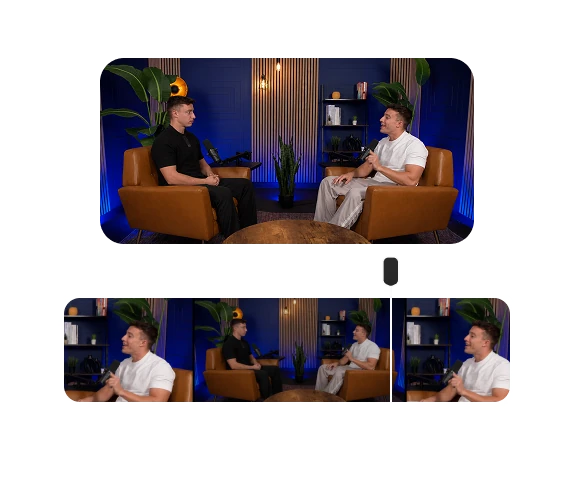
AI reframe
Automatically reframe your videos to 9:16, 16:9, or 1:1 aspect ratios for any platform.
Which do I need
AI Producer doesn't replace OpusClip, pick what fits the job. Same account, both included.
- Use AI Producer
editing agent
OpusClip AI Producer
Start with raw footage. Edit it into a publish-ready video
Real footage in, no avatars or generated speakers
Full edit with captions, b-roll, charts, and motion
You direct the changes, it explains every decision
- Use OpusClip
AI VIDEO EDITOR
OpusClip Editor
Start with any video. Edit and clip it yourself with AI-powered tools
A full editor you drive: text-based editing, trim, and arrange
AI captions, B-roll, auto-reframe, and filler-word removal built in
Turn long videos into clips, then refine and publish anywhere
Also available via API and MCP
OpusClip API
Run AI editing programmatically. One call sends a video in and returns finished clips, no browser in the loop.

OpusClip MCP
Give Claude, Cursor or ChatGPT direct access to AI editing. 25 tools in one connector, from clip to scheduled post.
Got questions?
What is an AI video editor agent?
An AI video editing agent takes raw footage and turns it into a finished, publish-ready video with captions, B-roll, motion design, music, and SFX and then lets you direct changes in plain language instead of learning a timeline. OpusClip AI Producer is an AI video editor agent that turns raw talking-head footage into publish-ready video: real footage in, finished video out. No avatars, no generated speakers.
Does OpusClip have an AI that edits my raw footage?
Yes. OpusClip AI Producer is our AI video editor agent: drop a raw talking-head clip and it edits the whole thing into a publish-ready video with captions, B-roll, motion design, music, and SFX all in one pass, then hands you the controls for the last 5%. It's included in your OpusClip account. Try it at producer.opus.pro.
What's the difference between OpusClip's video editor and OpusClip AI Producer?
OpusClip's video editor is the hands-on suite you use to polish clips, text-based editing, captions, layouts, reframing, and one-click AI B-roll, after OpusClip turns a long video into shorts. OpusClip AI Producer is an AI editor that does the work for you: drop raw footage and it returns a publish-ready first draft (captions, B-roll, motion design, music, SFX), then applies the changes you ask for in plain language. Same account, both included.
How does OpusClip work?
OpusClip analyzes your long video against current social trends, identifies the highest-potential moments, and rearranges them into short clips. It then polishes each one with dynamic captions, AI reframing, B-roll, and smooth transitions, and ends with a clear call-to-action so a single upload becomes a batch of publish-ready clips for every platform.
Does OpusClip AI Producer use AI avatars or generate fake speakers?
No. OpusClip AI Producer edits your real footage. It never generates avatars, synthetic presenters, or a fake voice. You record yourself; OpusClip AI Producer handles the captions, B-roll, motion design, music, and cleanup around what you shot. If you want an AI to make your own talking-head videos look professional (not replace you with an avatar), that's exactly what it's for.
What does OpusClip AI Producer edit, and how much time does it save?
In one pass, OpusClip AI Producer applies captions, B-roll, motion design, music, and SFX, and removes filler words and dead air, with an edit log explaining every change. What used to take hours of manual editing (or a $50–70 freelance editor) happens in minutes, and you refine anything with a chat command or the timeline.
What kinds of videos work best?
With OpusClip's ClipAnything model, you can clip almost any long video, podcasts, interviews, webinars, vlogs, gaming, even footage with little dialogue. AI Producer is built for short-form, single-speaker talking-head videos; the founder update, the piece to camera, the podcast clip. Both are formatted for TikTok, YouTube Shorts, Instagram Reels, LinkedIn, and Facebook.
How can I change my video layout?
OpusClip offers a variety of layouts in our AI video editor, including fit, split, fill, and the 30/70 gameplay layout, allowing you to customize your video presentation easily. To customize your video layout in OpusClip, go to "Clip layout settings," pick your layout, and apply it to specific scenes or multiple segments in the timeline for a seamless look.
Can I add emojis to my video, and how?
Absolutely! OpusClip's AI automatically adds relevant emojis for you, and you can easily edit them directly in the text-based editing area in the AI video editor.
What's the easiest way to add B-Roll?
To quickly add B-Roll in OpusClip, go to the AI video editor, and then select the text and then click "Generate AI B-Roll" . Our AI automatically generates relevant visuals to your video, saving your editing time.